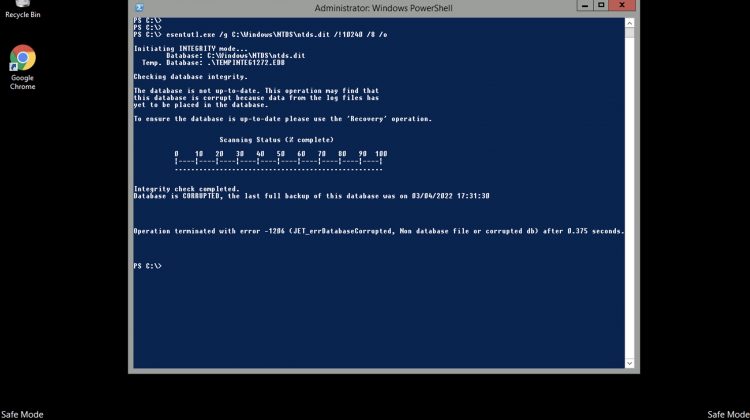
If you restore a DC and it starts in Safe Mode, probably, your AD DB is corrupted . For this reason, when you try to boot, it starts starts automatically in Directory Services Restore Mode .
To resolve this problem, we need to fix the corrupted DB through ESEUTIL utility.
Open a Powershell and issue this command:
ESENTUTL /g C:\windows\NTDS\ntds.dit /!10240 /8 /o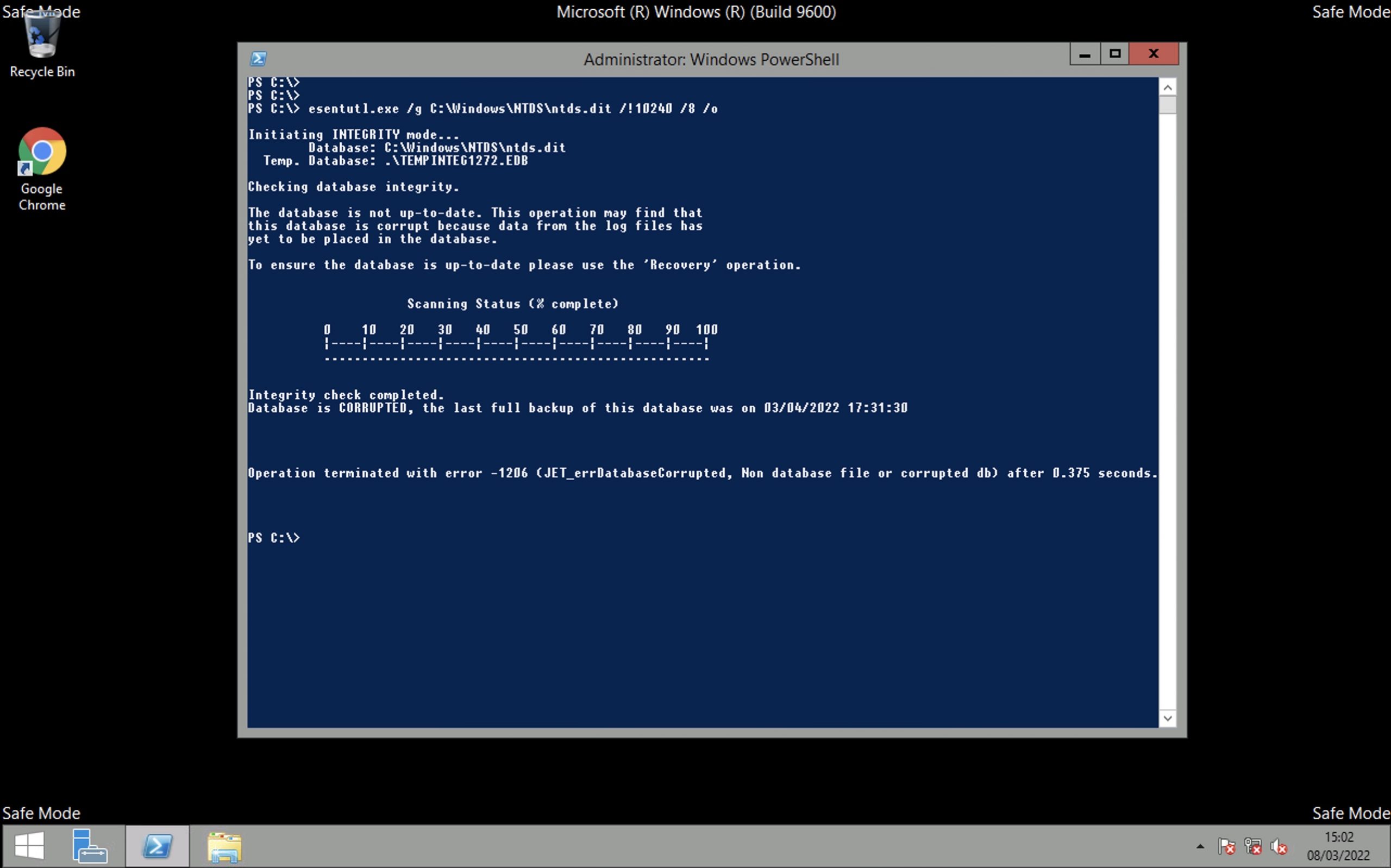
At this point we need to try to recover the DB.
ntdsutil
Now type
activate instance ntds
Type
files
Type
info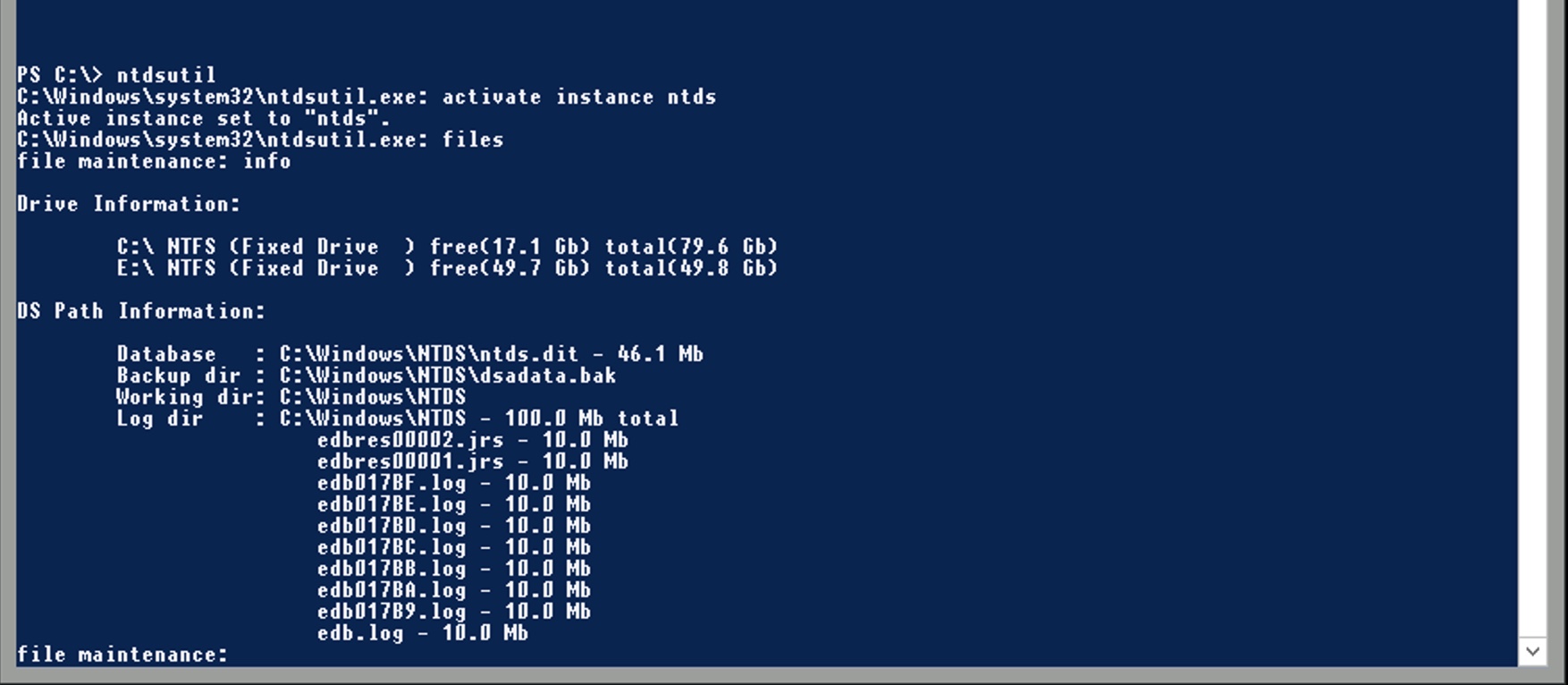
At this point, we will try a “soft” recover.
Type
recover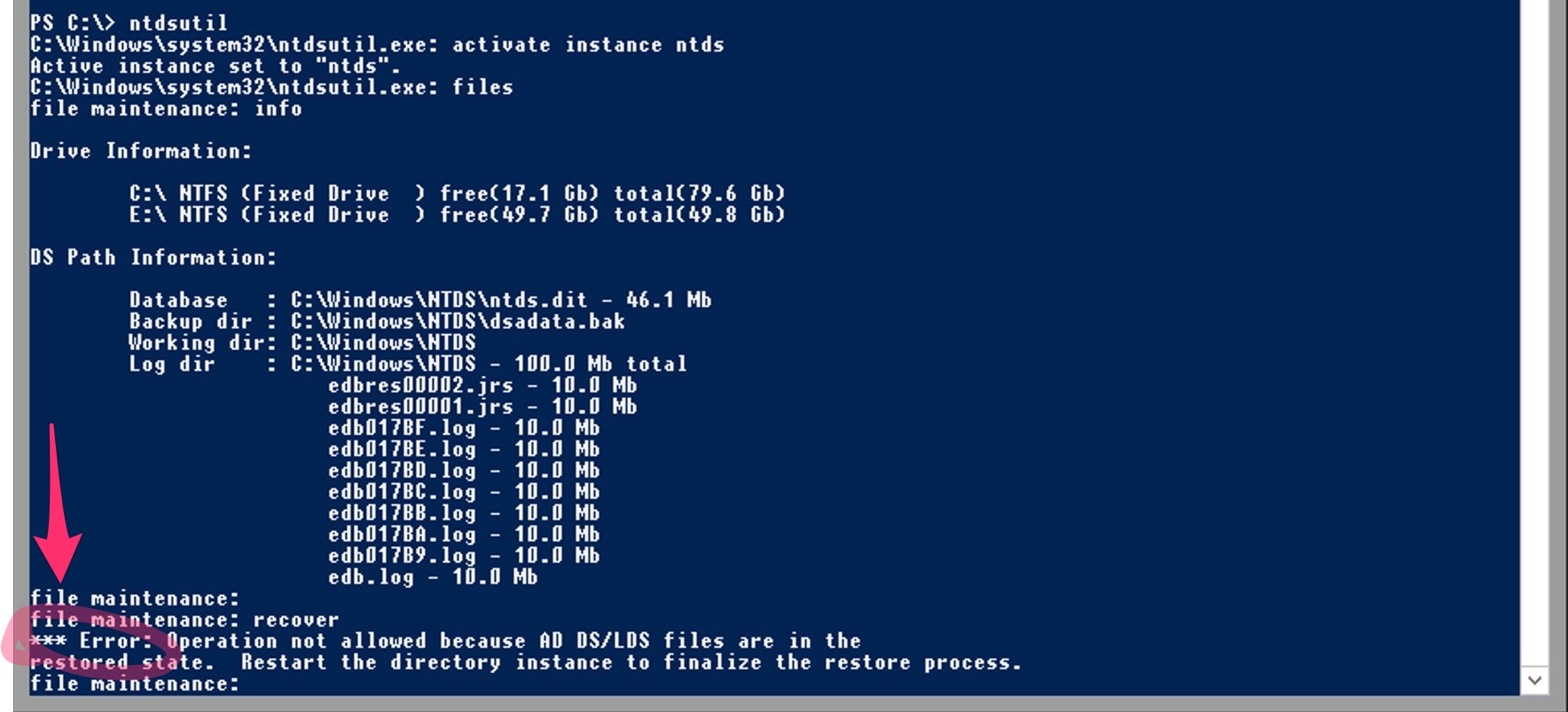
In my case I received an error ” *** Error: Operation not allowed because AD DS/LDS files are in the restored state. Restart the directory instance to finalize the restore process “
In this case go to c:\windows\NTDS
Create a OLD folder and move the *.log and *.chk into .
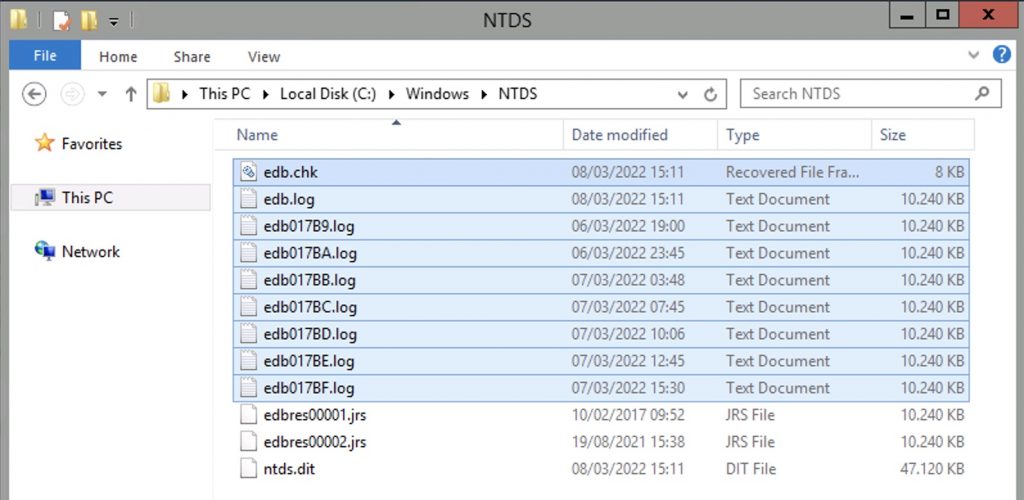
After that issue an “hard” recovery with this command :
ESENTUTL /p C:\Winnt\NTDS\ntds.dit /!10240 /8 /o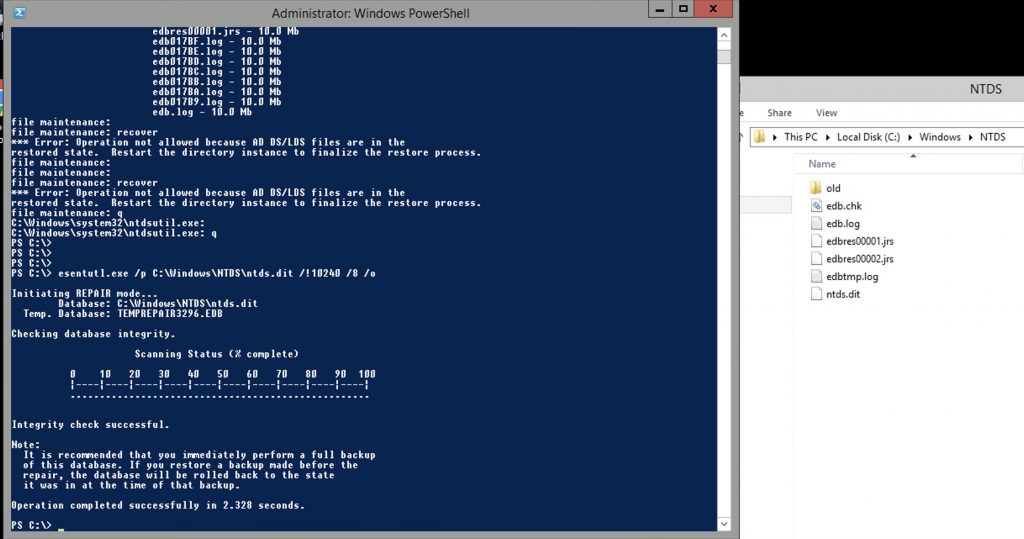
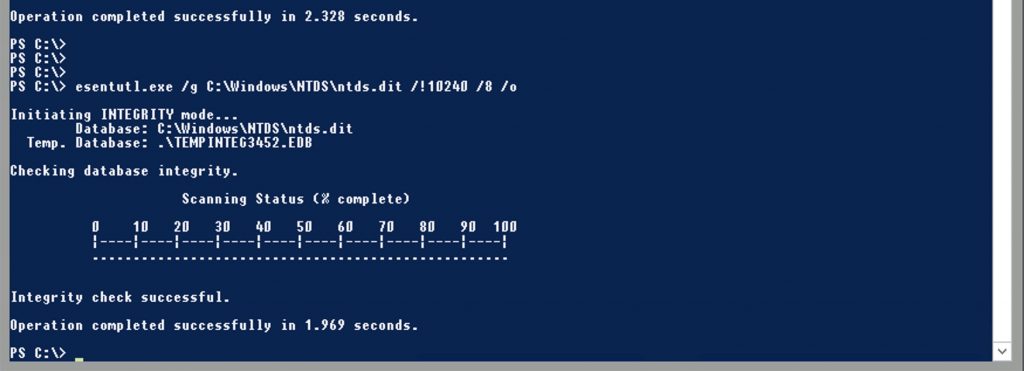
at this point re-run the /g to check the DB consistency
ESENTUTL /g C:\windows\NTDS\ntds.dit /!10240 /8 /ogood!
After that, run MSCONFIG and deselect the “Active Directory Repair”
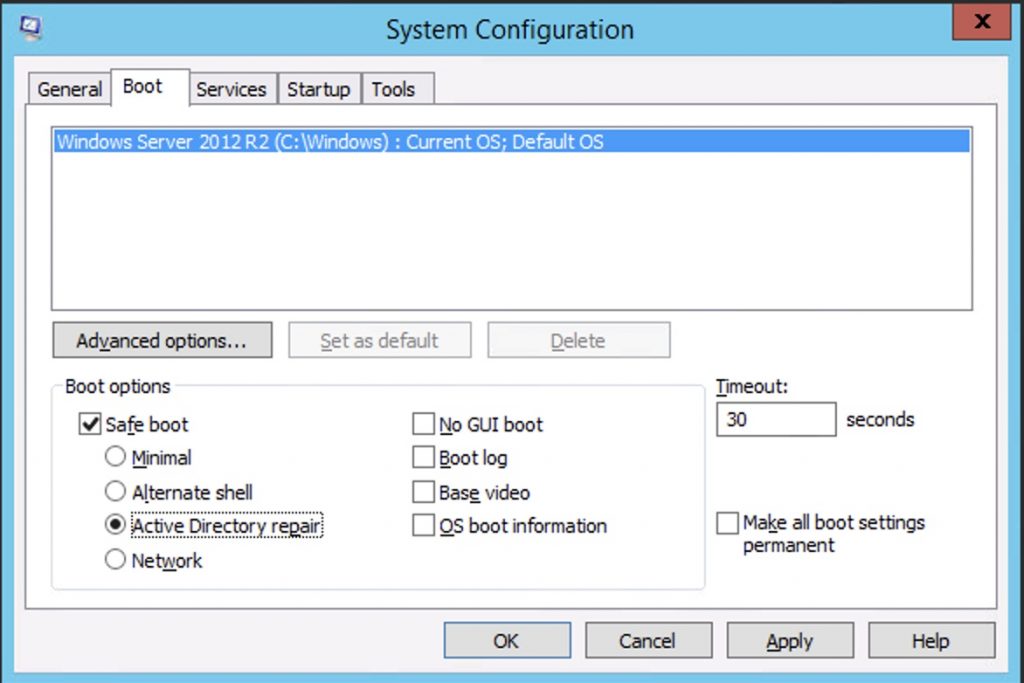
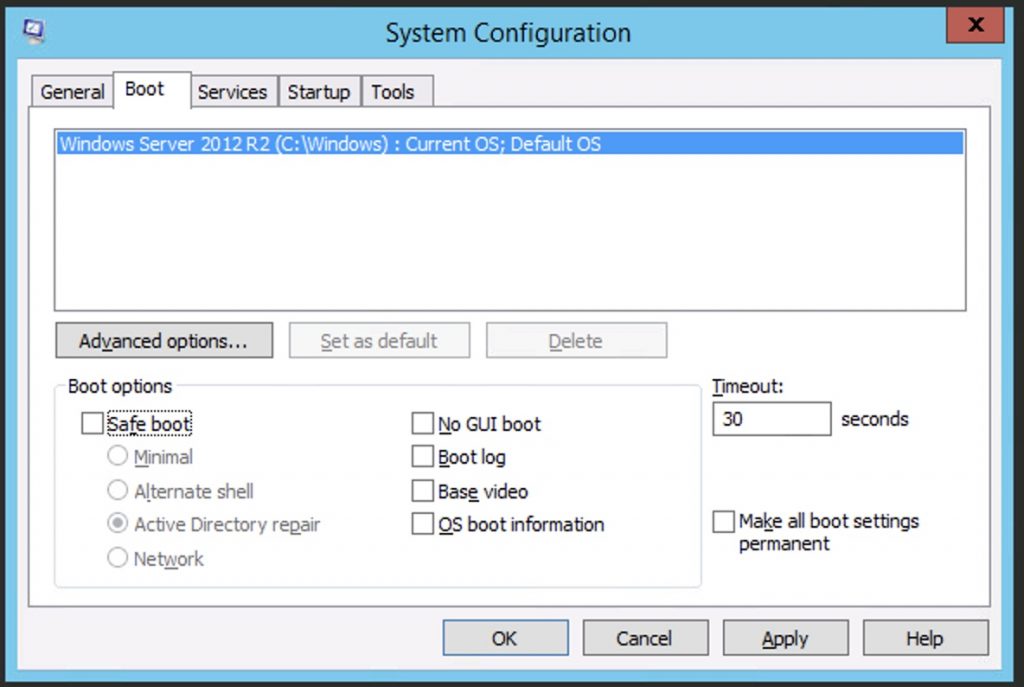
Reboot and it’s done.
Thanks for your help, my problem was solved. Thank you, you are the best.
Thank you! There was nothing to indicate that my system was in directory services restore more, so I tried many other things and finally just went thru your process and it worked.
It works thank you
Excelente, me salvaste la vida
Hi there you are AWESOME. It solved our DR test
Thanks a lot !